
AI Event Manager
Detects risk event candidates from existing RTSP camera streams and uses VLM verification to record scene context and decision evidence, making AI Event operations in ORBRO OS more accurate.
“You introduced AI events, so why are field decisions still the same?”
Detection alone can generate alerts. What operators actually need, however, is to understand what happened, why it was classified as an event, and whether it can be reviewed later using the same criteria. AI Event Manager does more than display detection results. It determines whether an alert should be issued through Candidate Detection, the Detection Pipeline, and VLM Verify, and records the basis of that decision as an operational record.
RTSP Video Input
Connects existing camera streams and turns them into operational sources that AI can analyze.
Risk Event Detection
Selects scenes that require review, such as falls, fires, or missing safety equipment, from field video.
VLM Context Check
Reviews the surrounding scene and context of detected candidates, and records the basis for the decision.
Works with Event Records
Connects verification results to analysis screens and event logs for response and post-event review.
From Detection to Verification
Find Quickly, Verify Again, and Review Through Records
The value of AI Event Manager is not simply in showing detection results. It lies in how VLM verification reviews scene context and records the reasoning behind each decision in logs and analysis screens.
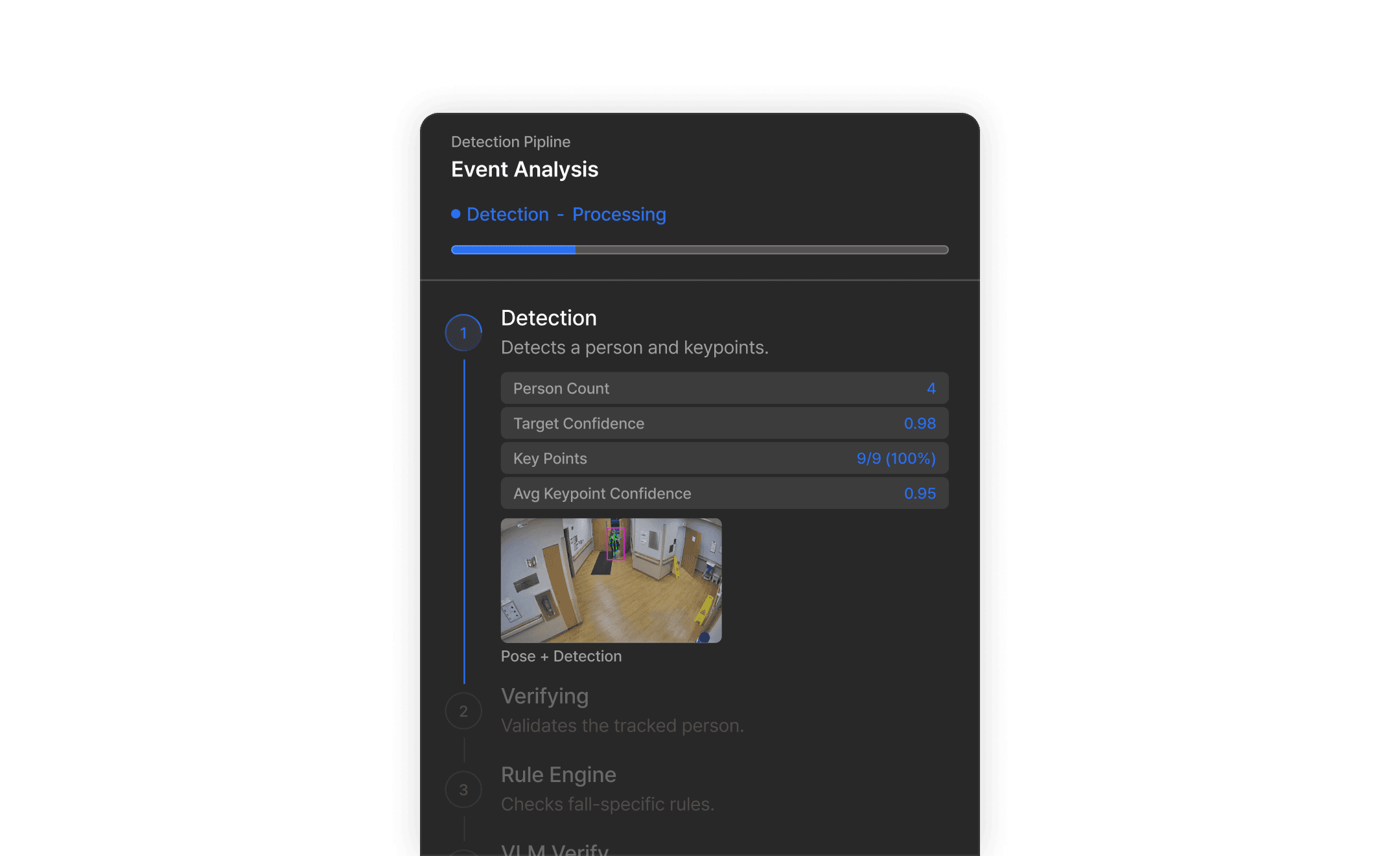
① Detection
Candidate Detection
Quickly identifies risk event candidates from camera streams. Operators can monitor in real time which scenes have been flagged as candidates for each camera.

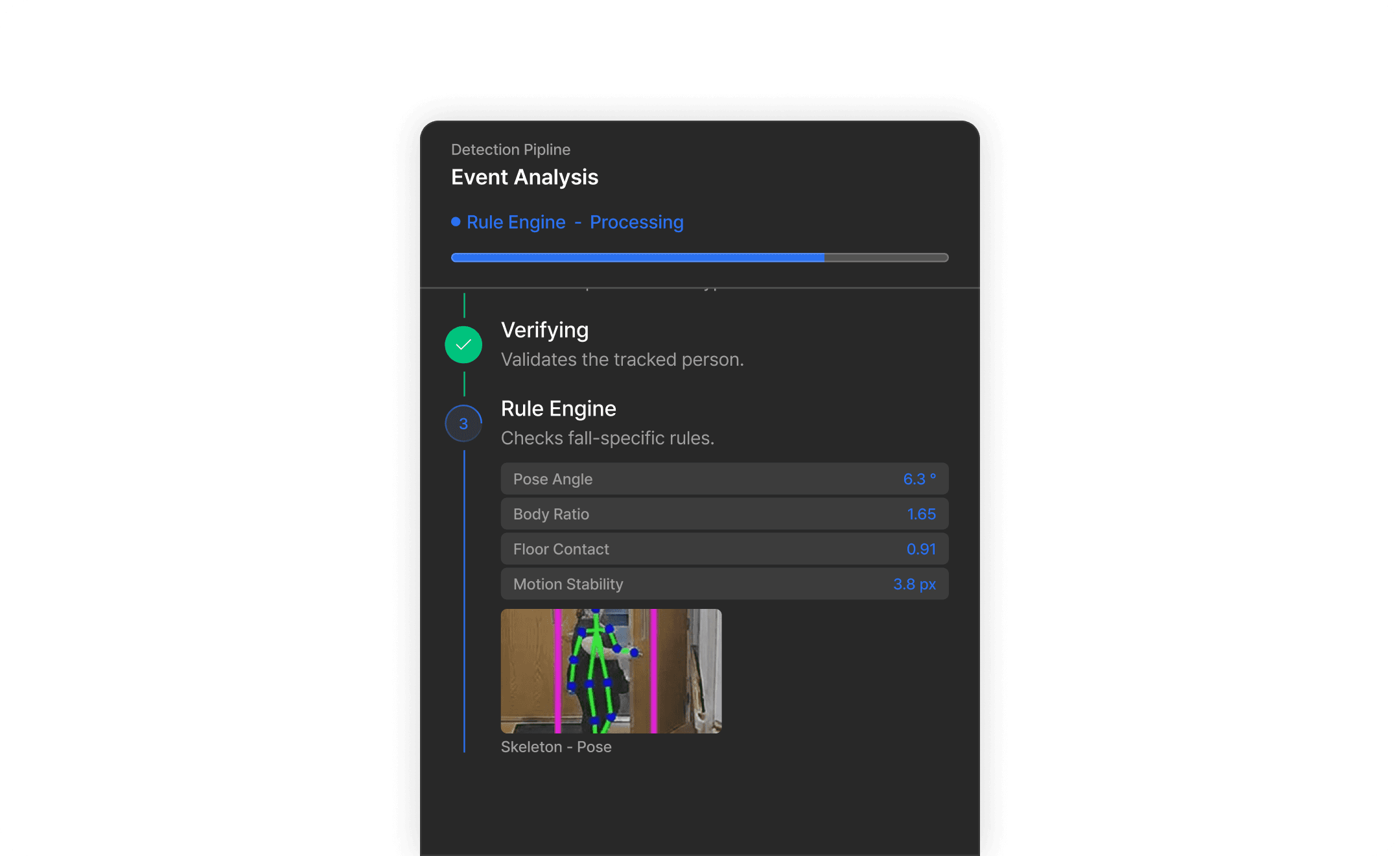
② Detection Pipeline
Detection Pipeline
Organizes candidate event type, camera source, frame data, confidence score, and processing status before passing them to the verification stage.

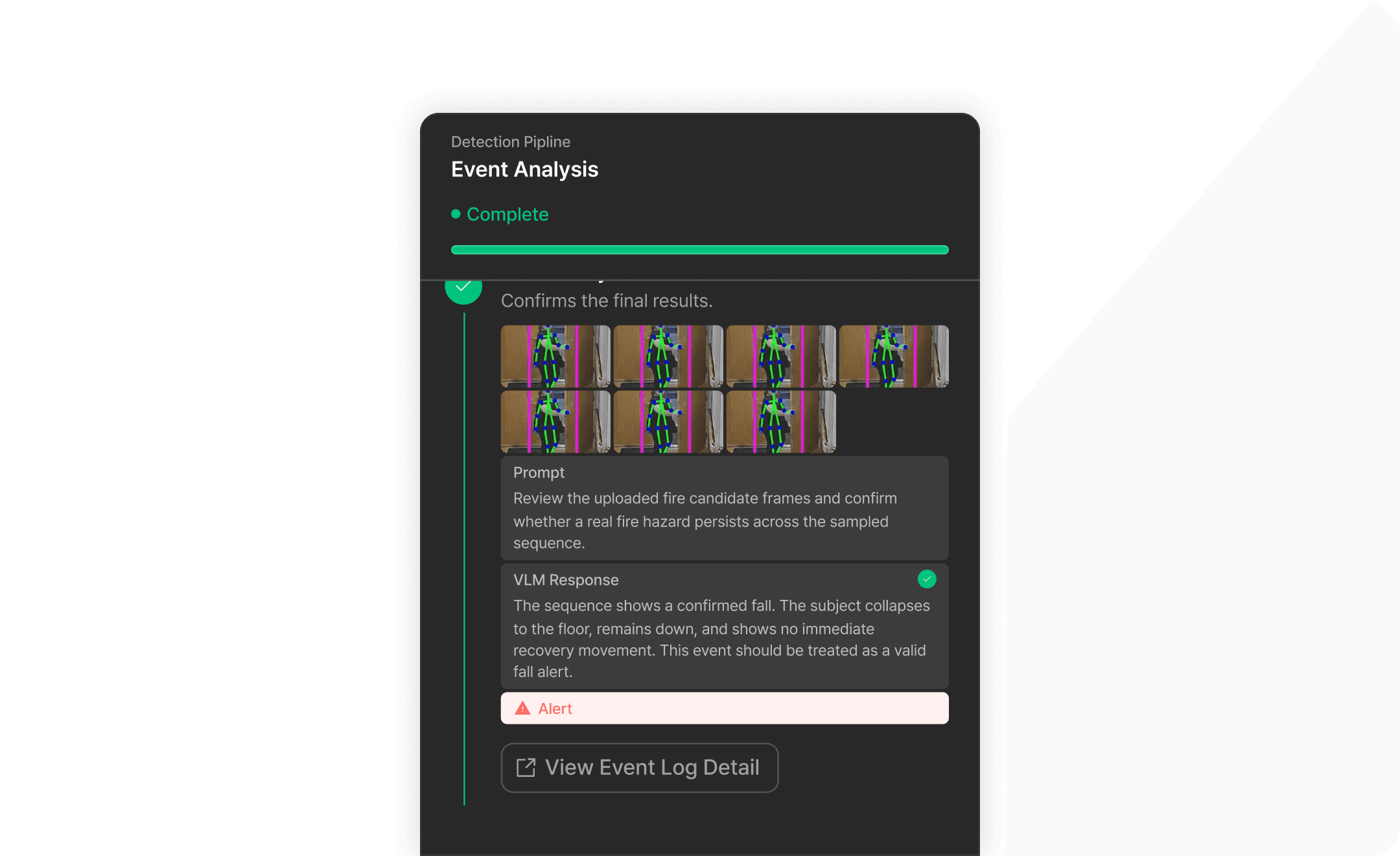
③ VLM Verify
Context Verification
VLM reviews surrounding scenes and spatial context to determine whether an alert should be issued or dismissed, while recording the reasoning behind the decision.

Expandable Detection Categories
Not a Fixed Set of Detection Models, But Configured Around Site-Specific Risks
Detection categories in AI Event Manager can be configured according to site conditions and operational policies. Detection models identify candidates, while VLM verification and event logs provide the reasoning behind each decision.

Fall Detection
Identifies abnormal situations from worker posture and movement, supporting event verification.

Fire Detection
Quickly detects fire candidates and uses VLM verification to support early response decisions.

Helmet Compliance Detection
Detects whether protective helmets are worn, helping identify and record safety policy violations.

Collision Detection
Identifies possible collisions between people, equipment, or vehicles, supporting post-event review.

Restricted Area Access Detection
Detects access to predefined hazardous areas, helping identify potential safety violations.

Smoke Detection
Detects potential smoke events before fire escalation, complementing fire detection and improving early response.

Safety Vest Detection
Detects whether safety vests are worn, helping identify potential safety policy violations.
Fall Detection
Identifies abnormal situations from worker posture and movement, supporting event verification.
Fire Detection
Quickly detects fire candidates and uses VLM verification to support early response decisions.
Helmet Compliance Detection
Detects whether protective helmets are worn, helping identify and record safety policy violations.
Collision Detection
Identifies possible collisions between people, equipment, or vehicles, supporting post-event review.
Restricted Area Access Detection
Detects access to predefined hazardous areas, helping identify potential safety violations.
Smoke Detection
Detects potential smoke events before fire escalation, complementing fire detection and improving early response.
Safety Vest Detection
Detects whether safety vests are worn, helping identify potential safety policy violations.
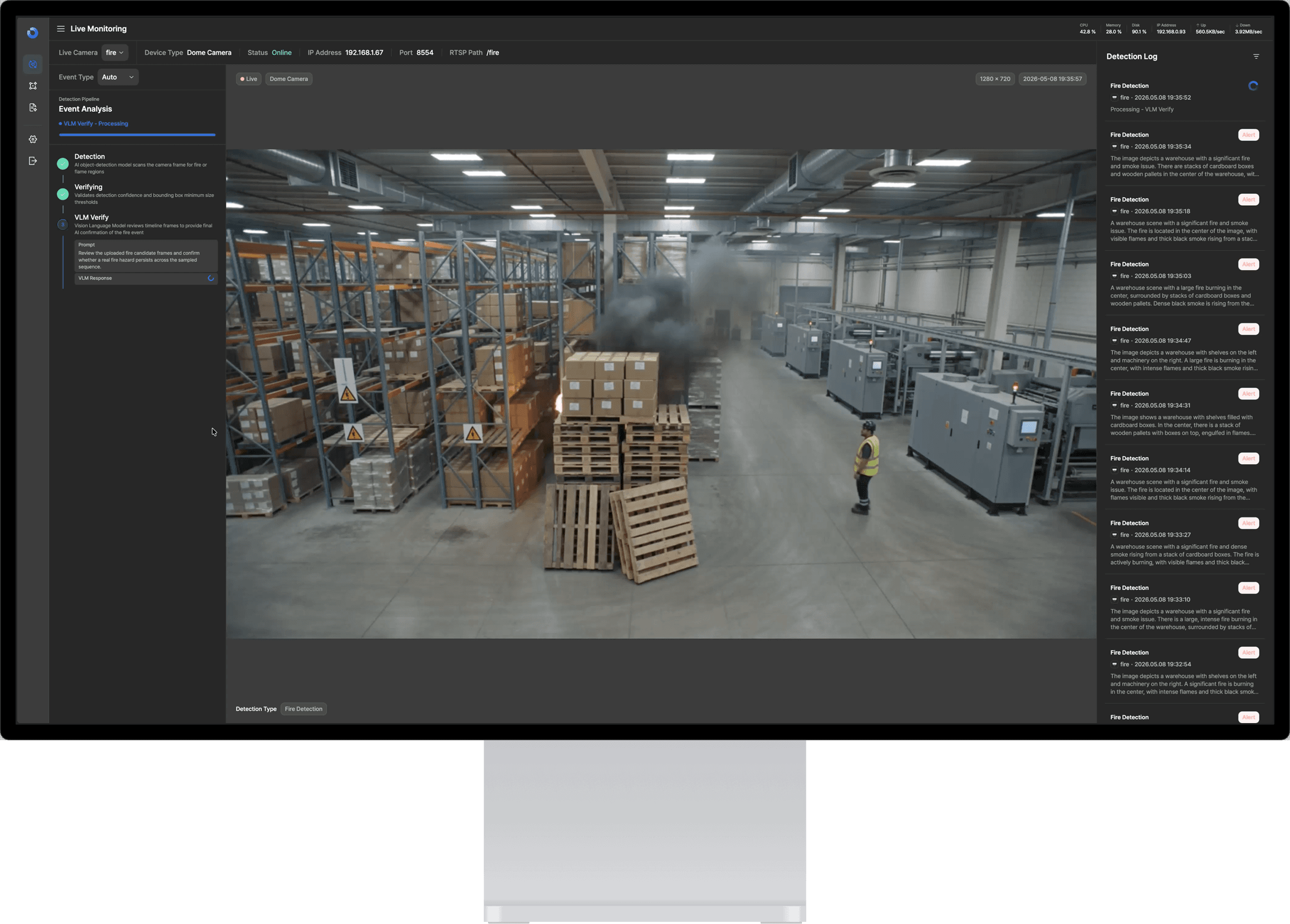
Interface Overview
Understand the Product Faster, Through the Interface Itself
Instead of placing every feature on a single screen, the interface is organized around the operator’s role.
Live Monitoring
Analysis
AI Event Log
Settings
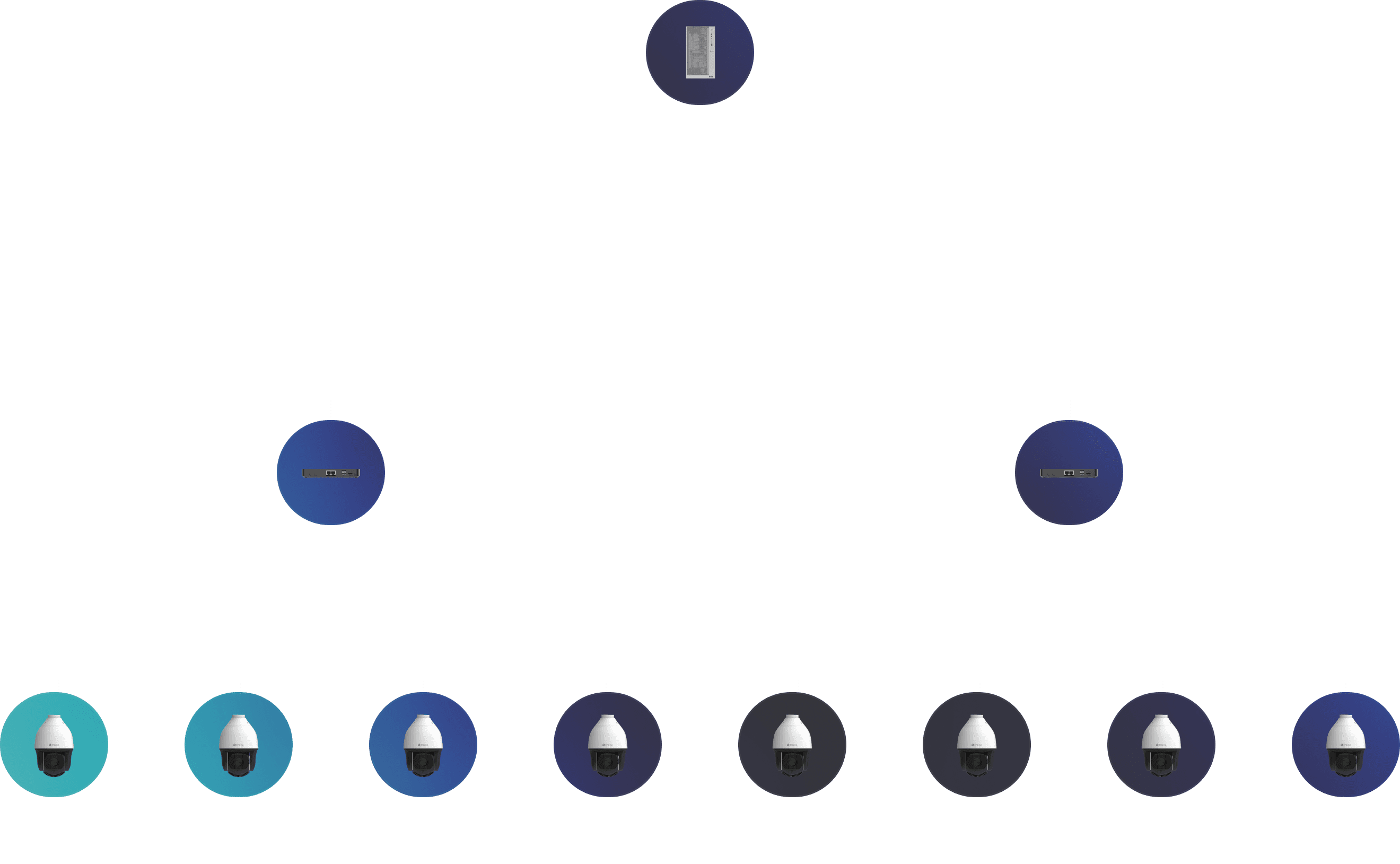
System Architecture
Connect Edge Preprocessing with VLM Verification, and Operate Alongside ORBRO OS
AI Event Manager first filters candidate events close to the edge environment, verifies scene context through a VLM server, and then delivers the results to operational interfaces and ORBRO OS integration workflows.

ORBRO Edge Pro Specifications
Overview
Performance
Wireless Connectivity
Power
Frequently Asked Questions
Quickly understand the product scope, how it works with existing infrastructure, and the difference between candidate detection and VLM verification.