Assets You Cannot Tag, How Cameras Track Them Instead
2026-08-18
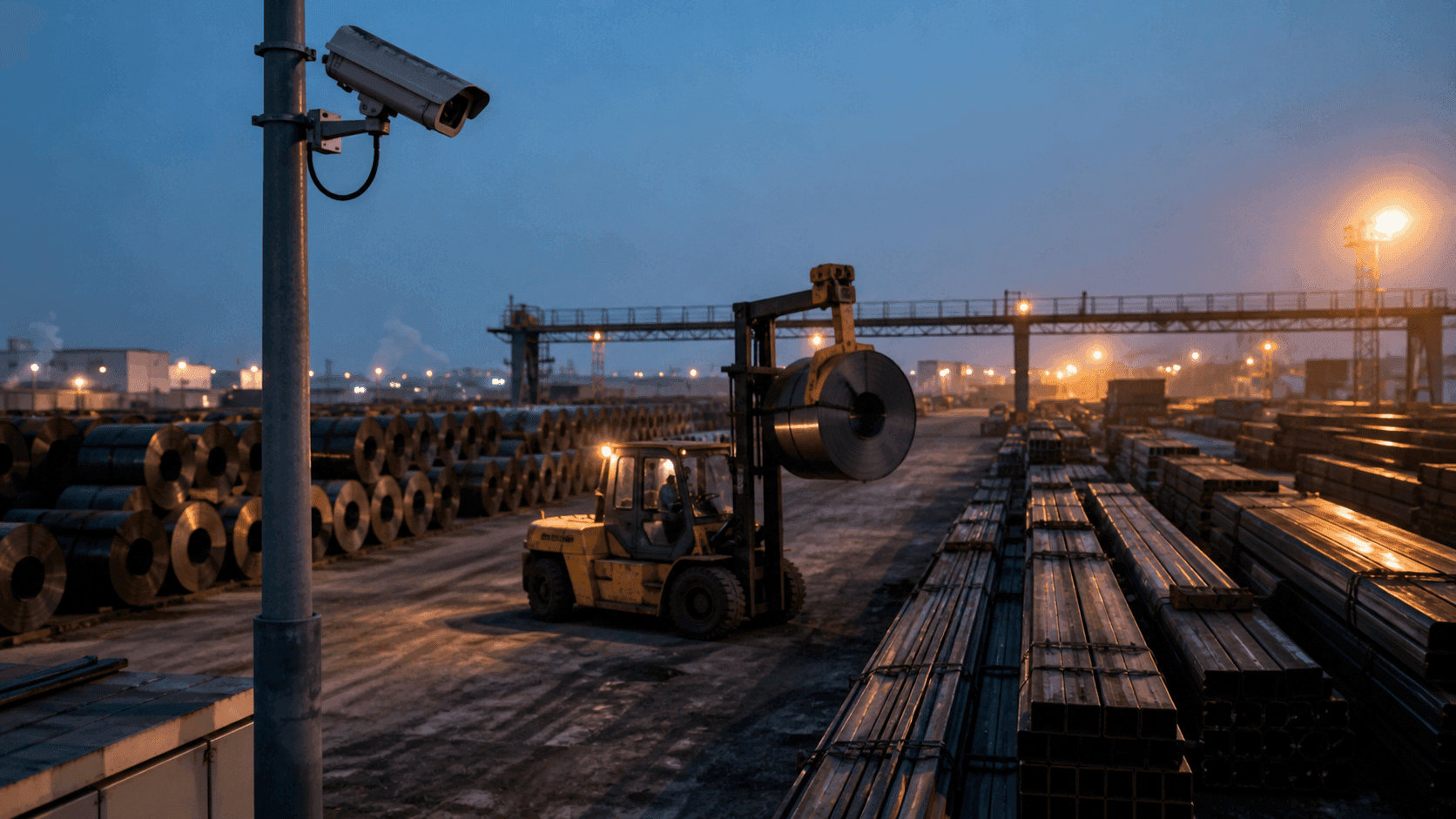
Every discussion about location tracking eventually turns into a discussion about tags. What to attach them to, how to fix them, how long the battery lasts. But there are assets where that question never applies, because attaching anything is simply not possible.
The reasons vary. The surface carries oil and adhesive will not hold. The material passes through heat or washing downstream and nothing may remain on it. Or stock turns over so fast that attaching and recovering tags becomes a job in itself. In a high turnover yard you can end up repeating that cycle hundreds of times a day, which means a system meant to reduce work has added work instead.
You cannot simply write these assets off. In fact they are usually the ones where inventory drifts the most. The quantity is in the system, but how many remain in which zone still has to be counted by a person.
This article covers how to record the location and movement of assets without tags, and how far camera based recognition can actually take you.
I. Three places tagless asset management breaks down
1. Attachment conflicts with the process itself
The reason a tag cannot be attached is usually procedural, not technical. Oiled steel, parts that go through washing, materials whose surface quality is the product grade itself: none of these tolerate an attachment. Improving tag performance does not solve this.
2. Operator input always gets skipped
Many sites fill the gap with people. The forklift driver enters origin and destination on a terminal. It holds for a few weeks. Then it gets skipped once on a busy day, and from then on some moves are recorded and some are not. The moment they are mixed, the entire dataset becomes unusable.
3. Work in process still gets counted by eye
The system was introduced for real time inventory, yet the question of how many units are in this zone right now is still answered by walking over and counting. When the physical count and the system count disagree, finding the cause costs more time again.
II. What it means for a camera to see an asset as an object
Vision recognition starts by separating assets into individual objects in the video. Not how many coils appear on screen, but counting each one as a distinct target.
Once that works, the rest follows. Connect the scene where a forklift or crane picks up a specific asset and sets it down in another zone, and origin and destination are created without anyone entering anything. The movement event generates itself.
| What you get | How it is produced |
|---|---|
| Observed quantity per zone | Objects within camera coverage aggregated by zone |
| Origin and destination | Pickup and drop scenes of equipment linked together |
| Work in process change | Observed quantity combined with movement events |
| Recognition exceptions | Low light, occlusion and unidentified objects listed separately |
That last row matters. Vision recognition develops blind spots when conditions degrade, and the system has to know and display that it did not see something. Data that is quietly missing is more dangerous than data that is wrong.
III. Tags or vision, and when to use which
These are not competitors. They are selections driven by conditions.
| Condition | Tag based | Vision based |
|---|---|---|
| Attachment | Required | Not needed |
| Object identity | Certain, by tag ID | Inferred from shape and labels |
| Turnover rate | High turnover means attach and recover burden | Unaffected by turnover |
| Coverage | Wherever the signal reaches | Within camera field of view |
| Night and low light | Little impact | Lighting conditions must be verified |
| Occlusion | Multipath effects | Blocked view means no observation |
In short: if you must identify each object with certainty and attachment is possible, tags win. If attachment is impossible or turnover is too high, vision is the answer. In practice many sites mix them. Materials are watched by camera while forklifts and cranes carry tags so their position is certain. When equipment position is accurate, the judgment of what was moved where becomes more accurate too.
IV. What to check before deployment
Vision recognition is decided by installation conditions more than by algorithms. Measuring the following during evaluation makes the later design solid.
1. Field of view and mounting height
What the camera sees and how wide it sees determines observable coverage. Higher mounting covers more area but makes object separation harder. Confirming actual separation in a representative zone is the right order of work.
2. Occlusion conditions
A passing crane or high stacks block the view. Knowing when and how long observation gaps occur lets you decide camera count and placement.
3. Night and low light
Outdoor yards and windowless warehouses swing widely in illumination across the day. Whether recognition holds at night or whether additional lighting is needed has a direct effect on budget.
4. Reusing existing CCTV
If cameras are already installed, reuse can be considered. Field of view, resolution and streaming method have to meet the requirements. Cameras installed for surveillance are mounted where they suit human viewing, which often means the angle is wrong for object recognition, so reuse has to be verified against actual footage.
5. Handling footage of workers
Cameras watching assets also capture people. Agreeing on face de-identification and retention policy early keeps the discussion from dragging later.
V. Where recognition results enter the inventory system
The output of vision recognition is not video but events: which asset moved from which zone to which zone and when. Those events have to connect to inventory records in ERP or WMS before daily work changes.
Exception handling is what teams most often overlook. Cases where recognition is ambiguous, where quantities do not match, or where material has not moved for a long time should be grouped into a list for the operator. Trying to automate everything lets wrong values enter quietly, and finding them later costs more.
ORBRO handles location data and video recognition on the same control surface. ORBRO OS manages zones and site layouts, while events judged from video are processed by AI Event Manager, which escalates only the situations that need attention. Even in a mixed setup where materials are seen by camera and equipment by tag, the screen does not split in two, and in daily operation that is what makes the difference.
Closing
Not being able to attach a tag does not mean giving up on location. It means changing how you observe. Cameras are not universal though: they operate on conditions of sight and light, so measuring those conditions is the first step of any deployment.
Material shape, stacking method and available mounting points differ at every site. Pick one representative zone with frequent movement and high inventory turnover, check field of view, illumination and occlusion, and the full deployment scope follows as a calculation. ORBRO can work through that with you.
Recommended Blogs
When Does the Detention Clock Start? Five Timestamps a Yard Should Keep
2026-09-08

Visitor Flow Analytics, Camera or Smartphone When You Cannot Hand Out Tags
2026-09-22

Fixed Asset Physical Inventory, Starting with the Undetected List Instead of the Whole Register
2026-10-01