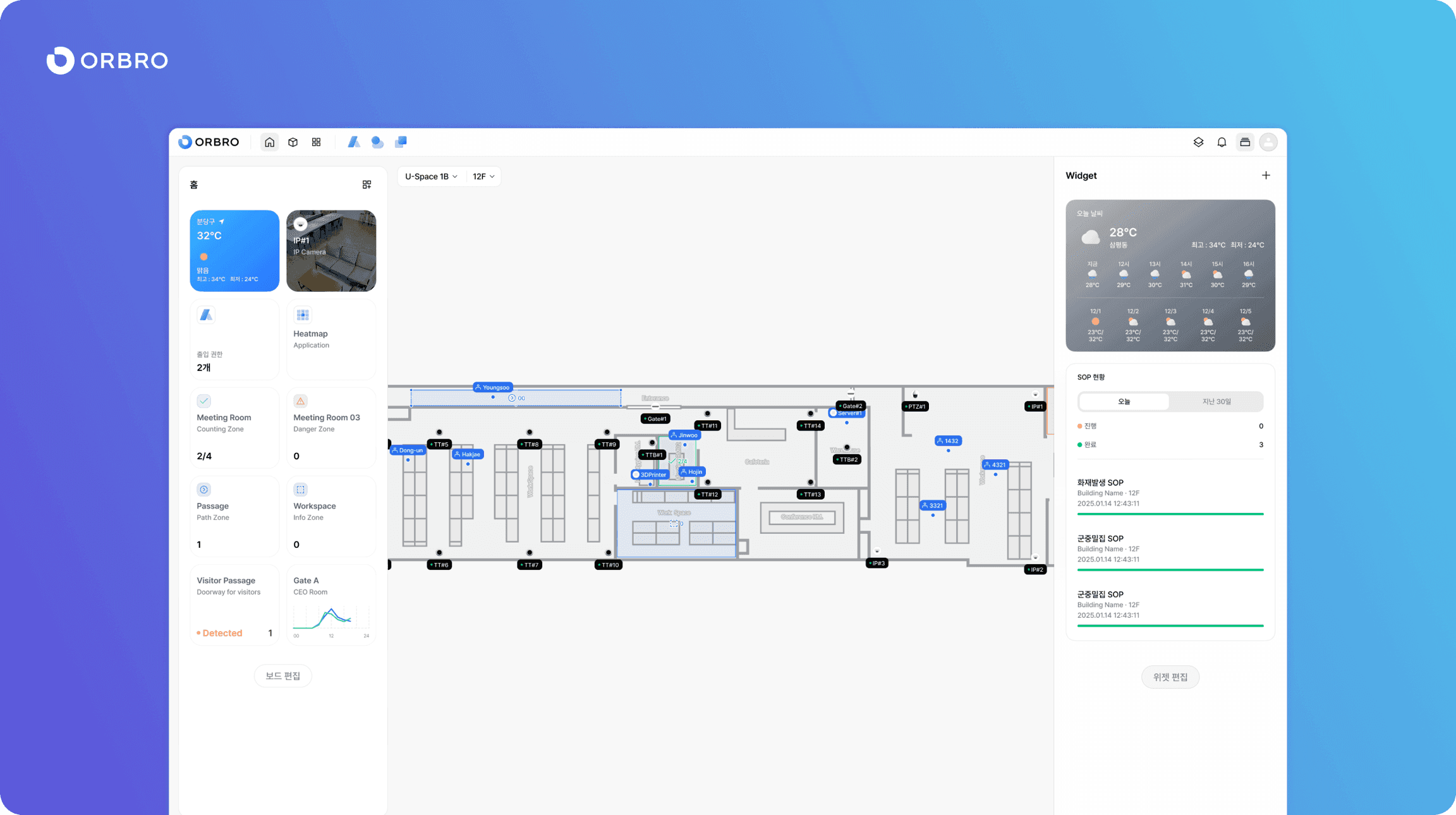
ORBRO has released version 2.0.0 of its digital twin platform ORBRO OS, with a complete overhaul of the user interface (UI) and user experience (UX). The update focuses on improving ease of use across the platform by reworking user environment settings, screen composition and application access structure.
The biggest changes in this overhaul are persistent user settings and an improved menu structure. A newly added View Setting function lets users save the screen environment they have configured and keep it in place. Users can therefore work in ORBRO OS in the same environment without repeatedly changing settings.
The positions of the notification and settings menus have also been rearranged, making the user flow more intuitive. The notification menu has moved to the upper right of the screen so that system notifications can be checked while the device list or home screen is being viewed at the same time. The settings menu is now reached through the profile icon, which simplifies menu navigation.
An Application menu has also been newly added in this update. Through it, various software built on ORBRO OS can be accessed together in a single environment. The main applications currently offered include Access, which manages entry permissions, 3D View, which visualizes spatial data in a three-dimensional environment, and Weather, which provides real-time weather information.
The UI design has been improved overall as well. The title bar design has been changed and panel corner design adjusted, among other visual elements reorganized into a more modern form, creating a user-centered and intuitive interface environment. An ORBRO representative said, "The ORBRO OS 2.0.0 update is a structural overhaul aimed at fundamentally improving the platform experience, not just a design refresh," adding, "We will keep raising the completeness of our smart space operating platform through further application expansion and user-centered functional improvements."