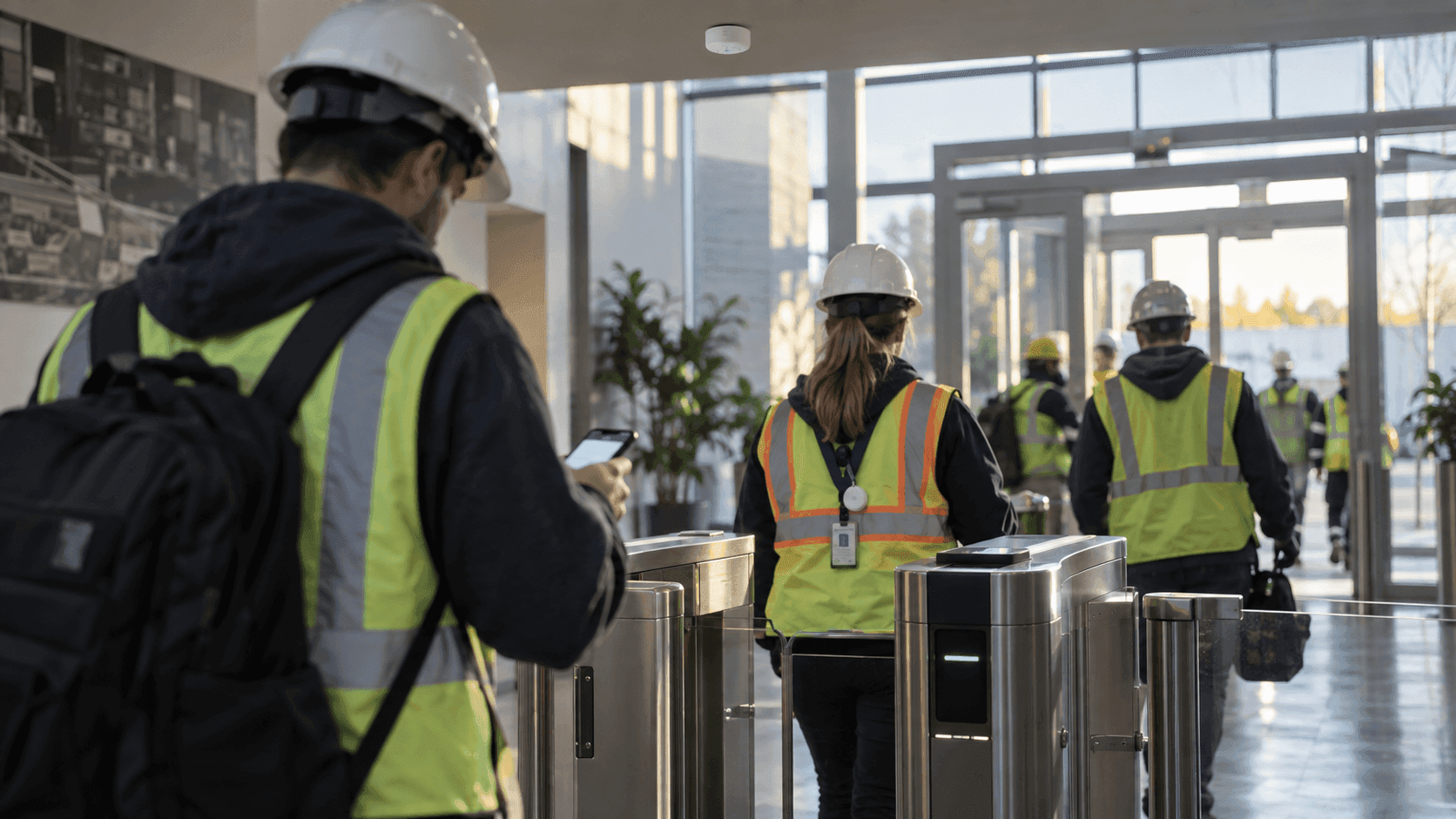
"We do not need detailed location tracking." An inquiry about indoor positioning from a factory earlier this month drew that line before anything else. They wanted two things. An employee with the app installed on their smartphone passes the main gate and the arrival is logged automatically, and in an emergency such as a fire, an immediate count of how many people have gathered at the assembly point. No coordinates needed, zones are enough.
The first question this inquiry raised was not a hardware spec. It was whether the smartphone already in an employee's pocket is enough, or whether a tag has to go behind the badge. That is the first fork a company evaluating indoor positioning meets, and the answer comes from site conditions rather than from which technology is better. This article works through those conditions one at a time.
I. How smartphone indoor positioning actually works
GPS stops indoors. Instead you mount palm-sized beacons on the ceiling or at the entrances. A beacon is nothing more than a device that broadcasts its own signal at intervals, so it needs neither a power line nor a network line. It runs a long time on a battery, and installation ends with sticking it to a wall.
The smartphone is what decides the position. The app scans nearby beacon signals, picks the closest one, and sends the result to the server. ORBRO's Mobile Location Tracking calls this Nearby Search, and it is designed so that scanning continues in the background without the app on screen. On the map in ORBRO OS, the control software, an administrator sees who is in which zone and when they entered and left.
Accuracy is roughly 5 to 10 m, which is to say zone level. It knows "in the east office on the third floor" but not "standing at which desk." Whether that reads as a limit or as a characteristic depends on the question. Did they pass the main gate, have they reached the assembly point, how many people are in this zone right now: those are all zone-level questions. For questions like those, coordinates are overkill.
Here is the judgment. For zone-level questions, the smartphone is the lightest tool there is. Everyone already carries one, and the infrastructure ends at a handful of beacons.
II. What a badge tag does differently
A badge tag inverts the structure. The tag emits the signal, and anchors mounted on the ceiling receive it and compute the position. What does the measuring is infrastructure installed in the building, not a person's phone.
That difference produces four results. First, precision. The position measured by a UWB Location Tracking anchor falls within tens of centimeters in open conditions, fine enough to tell which piece of equipment someone is standing next to. Second, no human cooperation is required. Whether the phone battery is dead, the app permission is switched off, or the handset is old, the tag is picked up all the same. Third, the tag has a button. ORBRO's badge tag carries an SOS button and NFC access ID integration, so a person can send a signal directly instead of only being located. Fourth, you can hand it to someone who has no phone. Rather than asking contractors and visitors to "please install our app," you hand them a tag at the entrance.
In exchange, operations come attached. Tag batteries have a life, so badge tags need a charging or replacement schedule on roughly a three-month cycle, and visitor tags have to be collected. Anchors need power and network pulled to them, which means installation work.
Here is the judgment. Because the infrastructure carries the responsibility, this fits the people who must be picked up without fail. In return you take on the installation and the operations.
III. The conditions decide
Put the same questions to both tools and the right one shows itself.
| Condition | Smartphone + beacon | Badge tag + anchor |
|---|---|---|
| Location unit | Zone, about 5 to 10 m | Designed anywhere from tens of centimeters with UWB up to zone level |
| Update | The phone's scan interval | Seconds to minutes, depending on tag settings |
| Observation condition | When the app is installed and the permission is live | When the tag is worn |
| Visitors and contractors | You have to ask them to install the app | You hand out a tag at the entrance |
| Phone-restricted areas | Cannot be observed | No problem |
| Signal sent by a person | Operated on the app screen | SOS button |
| Infrastructure | Beacons, no power or network needed | Anchors, PoE power and network needed |
| What drives cost | Proportional to the number of zones, independent of headcount | Proportional to both anchor count and tag count |
The row that splits the table is "observation condition." A phone is observed when the person cooperates, and a tag is observed as long as it is worn. That one row determines every other row.
IV. Three jobs smartphone indoor positioning handles on its own
First, main gate entry records. Pass an entrance beacon and the entry and exit are logged per user in ORBRO OS. The entry log can be downloaded in a standard format or integrated with the time and attendance system or ERP already in use, and zone access permissions can be split by department and job role.
Second, emergency mustering headcount. Draw the assembly point as a zone and the people who arrive are tallied by zone counting. What an emergency needs is not a roster check but the number of how many have arrived so far, and zone-level accuracy is enough for that.
Third, dwell time by zone. Seeing where people stay and for how long, as headcounts, across the office building, the cafeteria and the break areas. Judging a space reallocation needs how many, not who.
There is one objection. Won't employees push back at being told to install a company app on their own phone? This question has to be answered with design. Narrowing collection to the zone level, keeping beacons indoors only so that no observation happens outside the office, and putting an SDK into the company app already in use instead of adding a new app, that is the design. And one more thing has to be admitted. When the app permission is off, observation stops. So for records that must be kept without fail, the tag in the next section is the right answer.
V. Four jobs that need a badge tag
First, heavy equipment proximity alerts. When the distance between a worker and a forklift falls inside the configured value, a tag on the hard hat or the vest warns with vibration and a buzzer, and that only works with tens-of-centimeters precision and second-level updates. A phone cannot measure distance to that degree.
Second, SOS. Someone who has fallen pulling out a phone, opening the app and hunting for a button is a different thing from pressing the button on their badge.
Third, visitors and contractors. You cannot ask someone coming in for a single day to install an app. Handing out a tag at the entrance and collecting it on the way out is the realistic operation.
Fourth, areas where phones are not allowed. In places you cannot carry a phone into, such as a semiconductor fab or a secure area, phone-based indoor positioning does not hold up in principle.
A question follows here: Galaxy and iPhone have UWB inside, so why not use that? UWB in a smartphone is designed to measure the distance between two devices, as in a digital key or device finding, and the operating system restricts background use. That is a different structure from building infrastructure computing the positions of many people at once. It may change someday, but the line that goes on today's quotation is beacons and an app, or tags and anchors.
VI. Mixing the two on one site
Real sites do not pick just one. It is common to split them so that the office building, the main gate and the assembly point run on beacons and phones, while the warehouse where forklifts move and the hazard zones run on tags and anchors. When the people caught by phone and the people caught by tag appear on the same ORBRO OS floor plan, the administrator looks at one screen and does not have to separate the methods.
Five things, sorted out before you get in touch, will speed up the quotation.
- What you want to determine, in one sentence. Zone level or coordinates is decided here.
- The share of your target headcount with no phone, or who cannot be asked for one. If visitors and contractors are many, tags come first.
- Whether a company app already exists. If it does, it goes in as an SDK and no new app is built.
- Whether there are phone-restricted areas. If there are, only those areas go with tags.
- The system the records hand off to. Which of time and attendance, access control or ERP, and in what format.
Closing thoughts
Earlier this month that factory wrote one sentence first: we do not need detailed location. That sentence made the answer quick. The main gate and the assembly point are covered by beacons and phones, and if a hazard zone comes later, tags and anchors are added for that zone only.
ORBRO builds the beacons, the badge tags, the anchors, the mobile app and the control software ORBRO OS itself, so the two indoor positioning methods can be mixed on one floor plan. Tell us only how far you need to know, and we will separate the zones where a phone is enough from the zones that need a tag, together with you.