Material Handling Cart Tracking, Four Numbers to Check Before Buying More Carts
2026-09-29
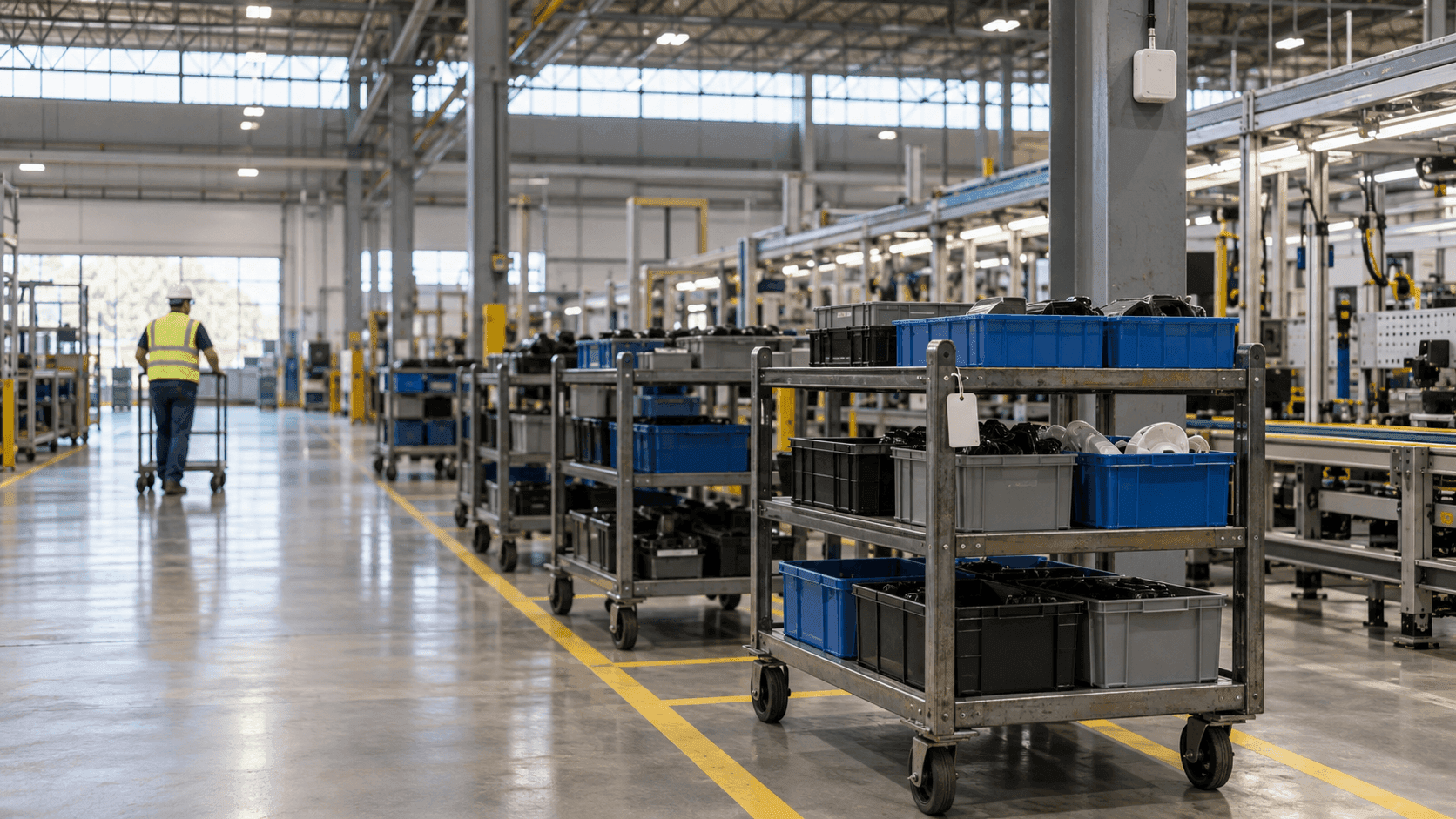
Next to the feed point of an assembly line, the spot where a material handling cart should be standing is empty. With no empty cart to bring in the next parts, the material handler sets off on a lap of the plant. Much later, four empty carts turn up side by side in an aisle next to the shipping dock on the far side. The time spent looking is recorded nowhere.
The same week, the production meeting takes up a proposal: carts are short, so buy a few more. That may be the right call. But there is one question nobody in the room can answer on the spot, and it is how many carts are standing in which zone of the plant right now.
Cart management tends to slip down the list because a cart looks less important than the parts riding on it. Parts carry a part number and a lot number, while a cart carries a single number at most, and where that number is right now usually goes unrecorded. This article treats the carts circulating between processes as assets in their own right, and lays out four numbers to check before buying more carts and how to get those numbers from zone-level location.
I. Four numbers to count in material handling cart tracking
A product passes through a process once and is done, but a cart comes back. It is loaded with parts and goes to a waiting area, waits its turn to feed the line, is emptied beside the line, and is collected empty to go back to the loading spot. A cart's day is a matter of running this loop a few times.
The Toyota Production System lists, among its principles of Just-in-Time, not allowing goods and information to be held up during production. In a plant that moves parts on carts, the place where goods are held up is the place where a cart is standing.
Treat the cart as an asset and the numbers to count come down to four. The first is where the empty carts are right now and how many, and the second is which zones carts pile up in. The third is how long a cart waits in front of a process, which is the process wait time, and the fourth is how long one cart takes to complete a loop. The first two show the current layout, and the last two show the speed of the flow.
When and through which processes the products on a cart passed is a different question. How location data records that history is covered in our article on manufacturing traceability, and this article looks at the cart itself, not the load.
II. What walk-arounds, scans, and tags miss about carts
There are three common ways to keep track of carts: a person walks around and writes on a whiteboard, the cart number is scanned at each process, or a tag on the cart is detected zone by zone. Before cost, what separates the three is the moment a record comes into being.
| What to check | Walk-around and whiteboard | Cart number scan | BLE tag zone detection |
|---|---|---|---|
| When a record is created | When a person goes to look | When someone scans | When the cart is detected in a zone |
| Empty cart location and count | Known only by walking around | Known only up to the last scan point | Current count in the return zone |
| Zones where carts pile up | Only after enough pile up to notice | Only where there is a scan point | Hourly trend of carts per zone |
| Process wait time | Not recorded | Guessed from the gap between two scans | Calculated from zone dwell times |
| What people have to do | Walk around and write on the board | Scan at every process | Attach tags and replace batteries |
| What stays unknown | The time nobody was looking | Moves nobody scanned | Whether it is loaded, the exact spot within a zone |
The fork is in the first row. With walk-arounds and scans, a record appears when a person moves, and with a tag, a record appears when the cart moves. Process wait time and loop time are numbers that come only from records accumulated on the same basis all day long, so methods that rely on people's hands yield a sample of a few moments at best.
The last row matters too. A tag knows which zone a cart is in, but not whether it is empty.
III. A zone map decides each cart's status
Attach a BLE tag to each cart and mount TwinTracker BLE receivers at the waiting areas and production areas. The receivers take both power and communication over PoE. The control software ORBRO OS shows the zone where each tag was detected on the plant floor plan, and once tag numbers are linked to cart numbers, it shows the detected zone for each cart.
There is one design condition. TwinTracker BLE judges position by the receiver nearest the tag, and the accuracy ORBRO publishes for BLE location tracking is likewise an anchor-based zone of 3 m or more. The result is a zone, not a coordinate, and how finely the zones are divided is decided by where the receivers go. To see two adjacent waiting spots separately, the receivers have to be split as well, and spots where equipment or racks block the signal are checked separately before installation.
The blank on whether a cart is loaded is filled in with zone names. Draw the loading area, the waiting area in front of each process, the feed spot beside the line, the empty cart return area, and the aisles as separate zones, and the zone a cart is in becomes its status. A cart in the return zone reads as empty, and a cart in a waiting zone reads as loaded. This cannot catch a cart parked against the rules, so the item and quantity of the load are still checked, as they are today, in the material list linked to the cart number.
That is why the floor plan comes before the tag count. Draw lines that split the spots a cart passes through by status, and how many receivers go where follows from those lines.
IV. Seeing where carts pile up and the process wait time
Once the zone map is in place, the four numbers for your material handling carts come out of the apps in ORBRO OS.
Zone Counting counts where the empty carts are and how many. Create a separate tag category for carts, and only the carts are totaled per zone as a current count and a cumulative total, without mixing in people's tags. Add a condition alert and nobody has to watch the screen. An alert arrives when the empty carts in the return zone drop to a set number or below, or when the carts in a waiting zone rise to a set number or above. At shift change, the outgoing and incoming staff look at the same screen and split up the carts to check.
Zones where carts pile up show up on the hourly graph of the same Zone Counting. If the count in the waiting zone in front of a process swells at the same hour every day, that is a signal to look at that process's throughput before the number of carts.
Timeline answers process wait time and loop time. Pick one cart, and it shows in time order which zone the cart was in that day, from what hour and minute to what hour and minute. Download the results to Excel and total the time in waiting zones cart by cart, and that is the process wait time, while the interval until the cart enters the same loading zone again is that cart's loop.
Spots where carts must not be are guarded with zones as well. Designate the area in front of an emergency exit or a main aisle as an Alert Zone, and an alert and a record are left when a cart enters. A tag that has gone out of reception range, or whose signal stopped because its battery ran out, shows up through an offline transition alert. The alert does not move the cart. Which cart gets moved, and by whom, is decided by the person in charge according to site procedures.
There is one objection: wouldn't it be simpler to buy a few more material handling carts than to bring in tags and receivers? In a plant that truly is short of carts, that is the right answer. But in a plant where carts stall in particular zones, the new carts will end up standing in the same zones a few loops later. What tells the two cases apart is the count per zone and the loop time. It is not too late to buy after seeing the numbers.
V. Five things to sort out before tracking material handling carts
- The types and number of carts, and the numbering scheme. Each tag number is linked one to one with a cart number, so start by numbering any carts that have no number.
- A list of the spots carts pass through. Split them by status, such as loading, waiting, feeding, return, and aisles, and the list becomes the first draft of the zone map.
- Where to attach the tag. It must not get in the way of loading, unloading, or moving the cart. Metal frames and the load itself can block the signal, so confirm reception with the cart loaded.
- Alert thresholds. The site decides how few carts in the return zone count as a shortage and how many in a waiting zone count as congestion. For the first few weeks it is safer to watch the graphs without alerts and settle the values.
- The link to existing records. Keep using the log that matches material numbers to cart numbers. If location data has to go to another system, the integration scope is agreed separately, starting from the REST API token issuance and MQTT account creation in ORBRO OS.
Closing thoughts
Go back to the empty spot beside the assembly line feed point. If the handler opens the screen before starting a lap of the plant, the first things visible are that the return zone holds not a single empty cart and that four are standing in the aisle zone next to the shipping dock. The agenda of the production meeting changes too. Before asking how many more material handling carts to buy, the question becomes why the carts stopped in that aisle.
ORBRO builds its own tags, TwinTracker receivers, and the control software ORBRO OS. That is why the zone locations of your carts go onto the same floor plan as the locations of people and other assets, and when a section comes to need more precise positions, UWB can be added for that section and viewed on the same screen. How dwell time is compared process by process with UWB is laid out on the Manufacturing Bottleneck Analysis solution page. Tell us how many carts you run and the spots they pass through, and we will start by working out with you how to divide the zones and where to put the receivers.
Recommended Blogs

Confined Space Entry Logs, What Location Data Adds When the Attendant Cannot See Inside
2026-09-28

Safety Grants and Workers' Comp Premium Credits: How Contractors Fund Construction Safety Technology
2026-09-23

Visitor Flow Analytics, Camera or Smartphone When You Cannot Hand Out Tags
2026-09-22

Smartphone Indoor Positioning, What an App and Beacons Cover and When You Need a Badge Tag
2026-09-21